Old Photo Restoration
Bring old family photos back to life. Upload a scan or a phone snapshot of an old print and the AI removes scratches, dust, spots, stains and creases, recovers faded detail and sharpens the image — while keeping every face, pose and background as it was. Black-and-white photos stay black-and-white unless you choose to colorize them.
Drop a photo here or click to upload
JPG, PNG or WebP · you can also paste (Ctrl/⌘+V)
Mode
Removes scratches, dust, stains and creases from old photos. Black-and-white stays black-and-white.
0 credits left · free plan
By enhancing you agree to our Terms and Acceptable Use Policy. No adult content.
Your enhanced photo will appear here, with a before/after slider.
Before and after
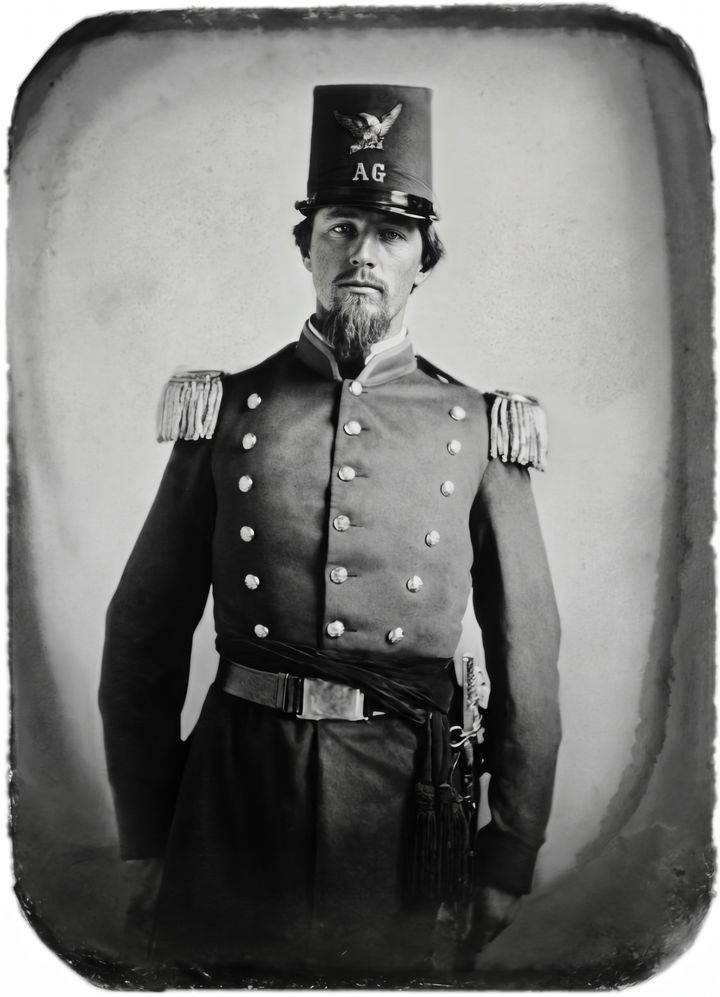
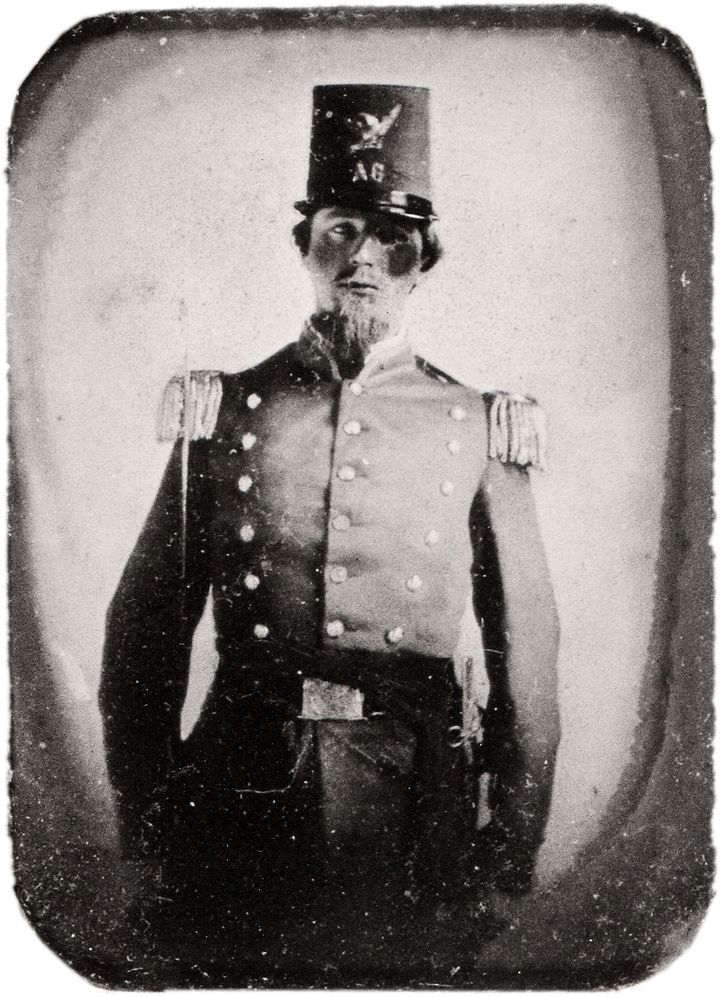 BeforeAfter
How to old photo restoration online
- 1
Scan the photo, or take a straight, well-lit picture of it with your phone (avoid glare and shadows).
- 2
Upload it. Restore Old Photo is already selected — add a note if there is a tear or stain you want fixed first.
- 3
Click Restore photo, compare before and after with the slider, and download the result.
What people use it for
Family albums
Repair cracked, spotted and faded prints of parents, grandparents and great-grandparents.
Memorials and anniversaries
Prepare clean, sharp photos for funerals, anniversary slideshows and printed tributes.
Genealogy research
Make old portraits clear enough to share on family-tree sites and with relatives.
Prints and gifts
Restore a photo before printing and framing it as a gift — 4K output on paid plans prints well.
Tips for better results
- ✦Scan at 600 dpi or higher if you can; a sharp scan gives the AI more real detail to work with.
- ✦Crop away the album page or table around the photo before uploading.
- ✦For very damaged photos, run Restore first, then use “Enhance this result” for a second pass.
- ✦If a face is badly damaged, compare carefully: the AI rebuilds missing detail and it may not match exactly.
Frequently asked questions
Is the old photo restoration free?+
Yes. You can restore your first photo without signing up, and signing in with Google gives you 3 more free credits. Free results are up to 1024 px with a small watermark; paid plans give 2K and 4K results without a watermark.
Will the restored photo still look like my relative?+
The AI is told to keep every face, expression, pose and background exactly as they are and not to beautify anything. Faces with moderate damage come out true to the original. When most of a face is missing, the AI has to reconstruct it, so always compare with the slider before you download.
Will it add color to my black-and-white photo?+
No. Restore keeps the original color scheme, so black-and-white and sepia photos stay that way. If you want color, choose the Colorize mode or use our photo colorizer.
Can it fix torn or folded photos?+
Yes. Tears, creases, cracks, scratches, dust and water stains are exactly what this mode removes. Large missing areas are filled in with plausible detail.
Do you keep my family photos?+
Your upload is used only to create the result and is not stored. Restored images are stored privately so you can download them and are deleted automatically after a set period.