Colorize Black and White Photos
See your old black-and-white and sepia photos in color. Upload a photo and the AI first restores it — removing scratches, spots and fading — then adds natural, realistic, historically plausible colors to skin, hair, clothing and backgrounds. Faces, poses and composition stay exactly as they were.
Drop a photo here or click to upload
JPG, PNG or WebP · you can also paste (Ctrl/⌘+V)
Mode
Restores an old black-and-white or sepia photo and adds natural, realistic color.
0 credits left · free plan
By enhancing you agree to our Terms and Acceptable Use Policy. No adult content.
Your enhanced photo will appear here, with a before/after slider.
Before and after
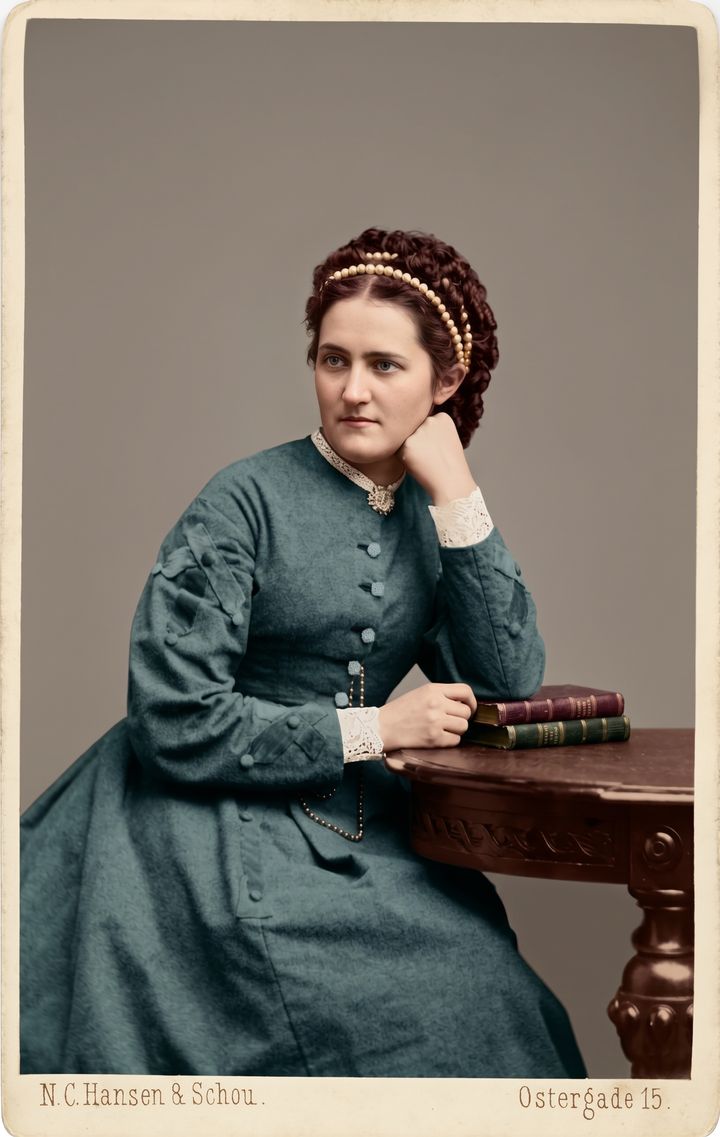
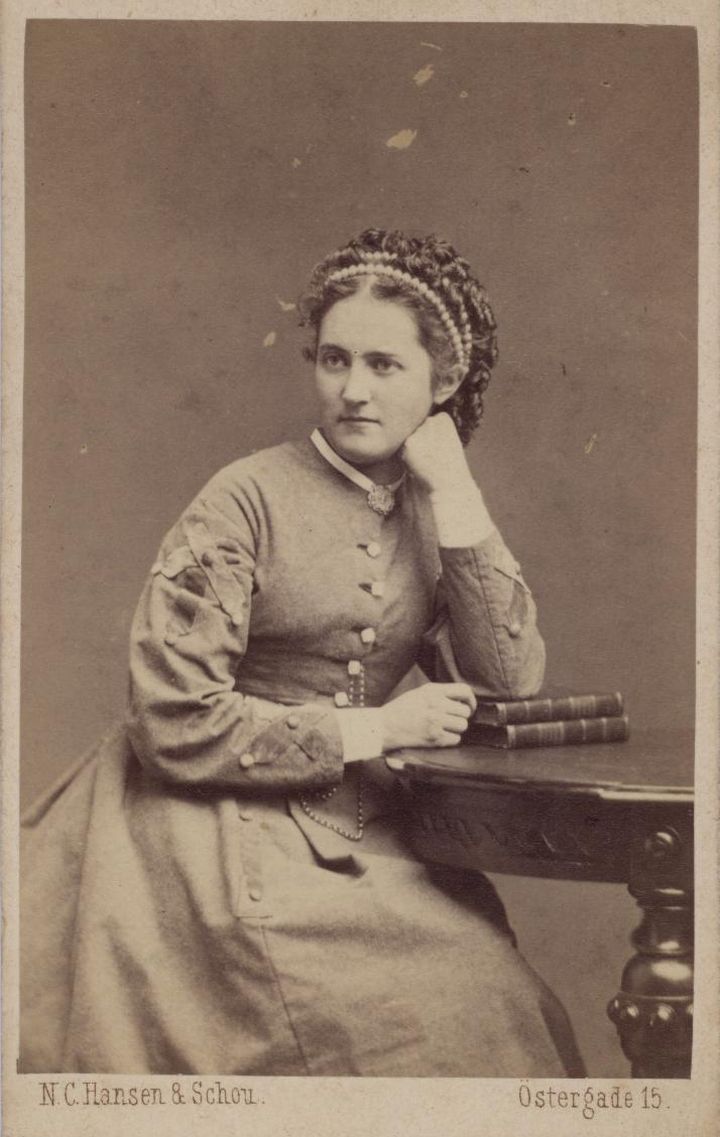 BeforeAfter
How to colorize photo online
- 1
Upload a black-and-white or sepia photo — a scan or a straight phone picture of the print.
- 2
Colorize is already selected. If you know a color, add it, e.g. “her dress was dark blue”.
- 3
Click Colorize photo, compare with the slider, and download the color version.
What people use it for
Family history
See grandparents and great-grandparents in color, the way they looked in life.
Gifts and prints
Give relatives a colorized and restored portrait of someone they love.
Local history and archives
Colorize old street scenes, buildings and events for talks, books and posts.
School and creative projects
Bring historical photos to life for presentations and videos.
Tips for better results
- ✦Tell the AI about colors you know — uniforms, dresses, eye or hair color — in the optional instructions.
- ✦Colors are the AI's best guess unless you specify them; they are plausible, not historically verified.
- ✦To restore without adding color, use Old Photo Restoration instead.
Frequently asked questions
How does AI photo colorization work?+
The AI recognizes what is in the photo — skin, hair, fabric, sky, plants, wood — and paints each with natural colors that fit the era and lighting. It also restores damage in the same step.
Are the colors accurate?+
They are realistic and plausible, but a black-and-white photo does not record the original colors, so some will differ from reality. Add known colors in the instructions box to guide it.
Can I colorize sepia photos too?+
Yes. Sepia, brown-toned and faded photos work the same way as black-and-white ones.
Is it free to colorize a photo?+
Yes, your first photo needs no sign-up, and signing in with Google gives 3 more free credits. Free results are 1024 px with a watermark; paid plans give 2K or 4K without a watermark.